See how your email looks before you send it.
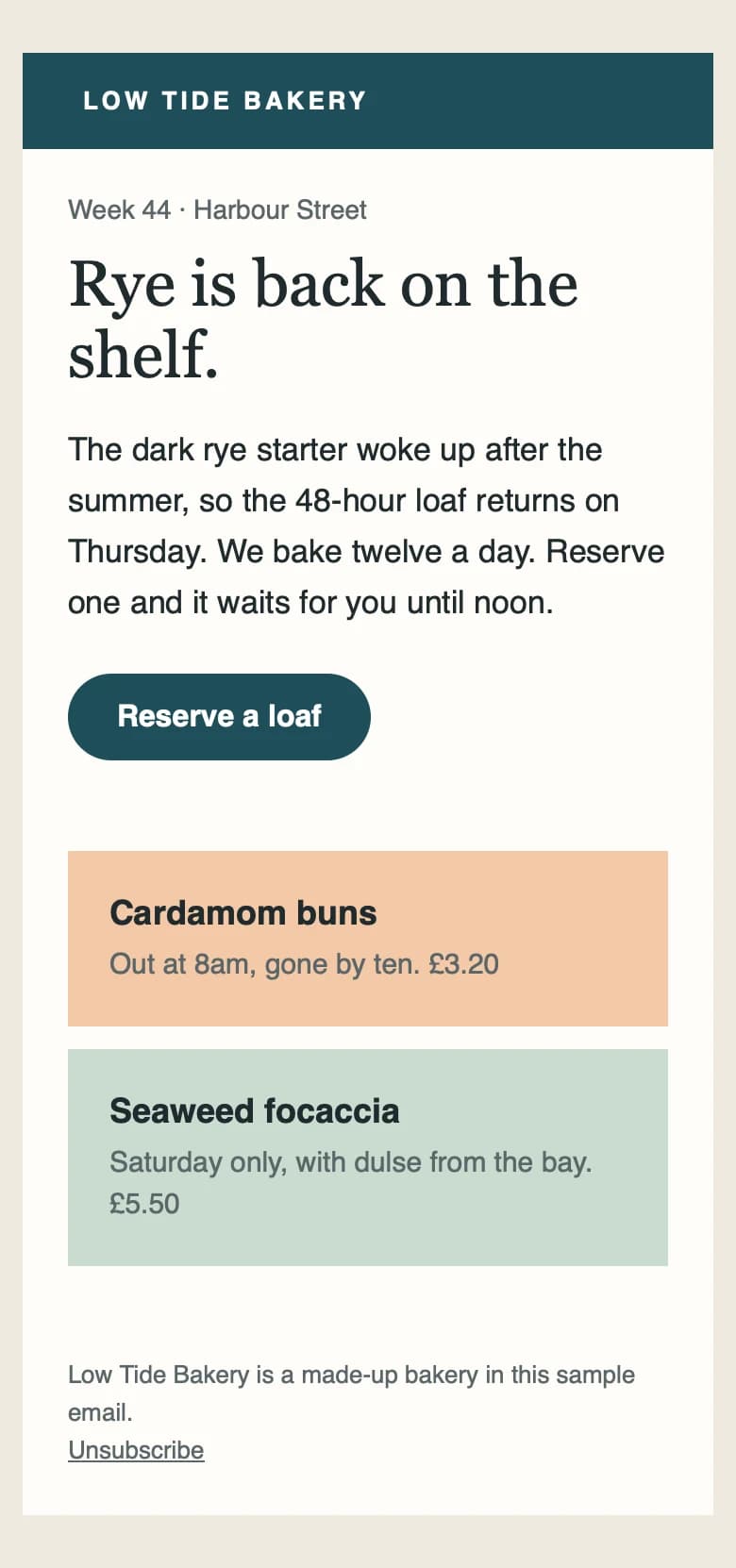
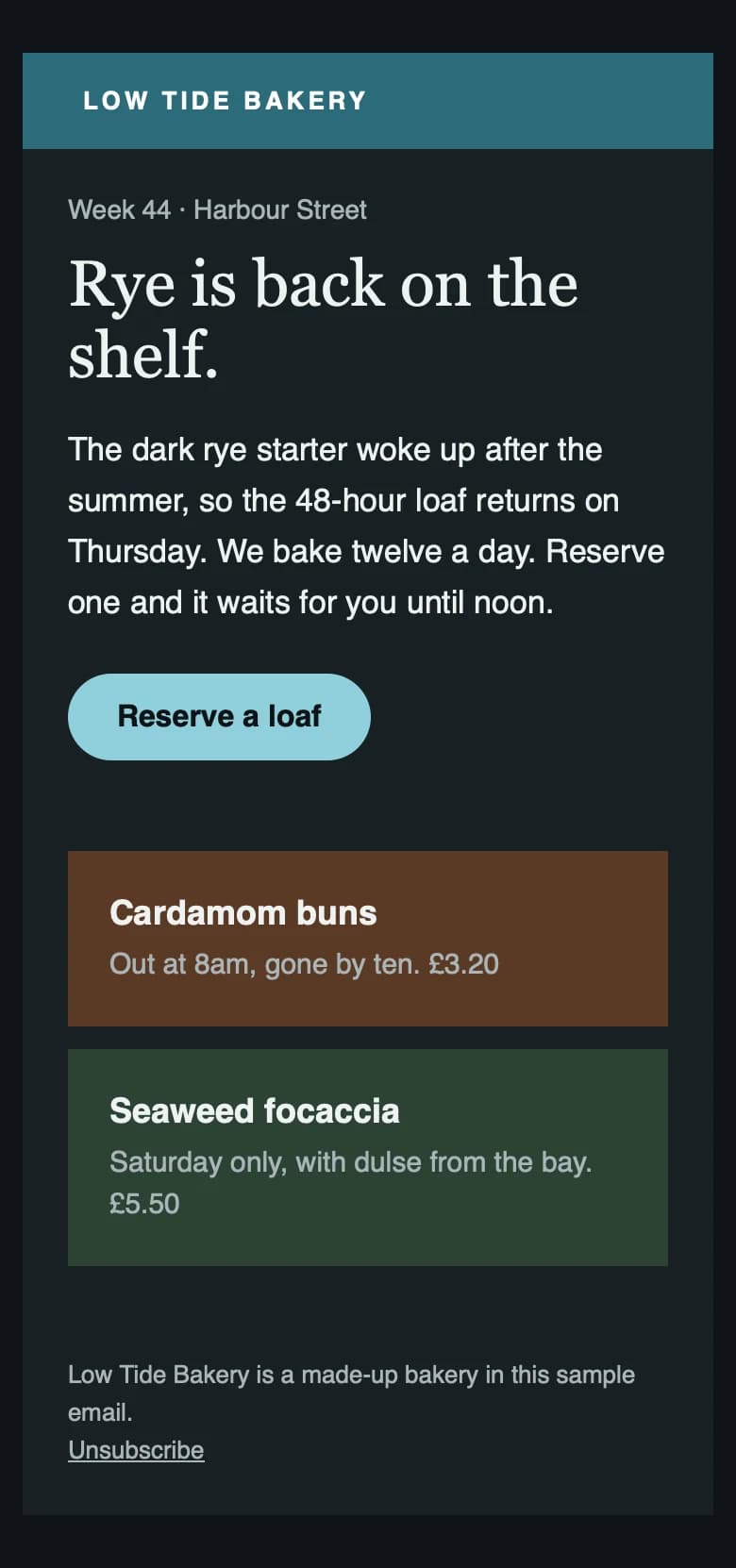
Paste your HTML and EmailTestr shows you the email in Apple Mail on iPhone and Mac, in light and dark mode, in a few seconds. Then it lists what's broken and the line to fix.
What you get
Everything you need to check an email before it goes out, in one place.
Previews in light and dark
Every test shows your email in Apple Mail on iPhone and Mac, in light and dark mode, side by side. Open any preview full size and flick between light and dark with one click.
iPhone at 390px and Mac at 1280pxLight and dark mode for eachFull-size viewer with keyboard shortcutsA list of what's broken
Twelve checks run on every test: Gmail clipping, broken links and images, image weight, alt text, preheaders and more. Each result says what's wrong and how to fix it.
Grouped into deliverability, links, accessibility and best practiceErrors and warnings counted at the topFree on every planStraight to the line
Click a line number on any issue and the Code tab opens at that line, with every problem line highlighted. No more searching a 2,000-line template for the broken link.
Errors highlighted red, warnings amberHover a line to see what's wrong with itEvery test, saved
Your tests stay in your dashboard so you can come back to them, re-run them after a fix and see which mistakes keep coming up.
Search by subject or test IDRe-run a test in one clickSee the most common issues across your tests
How it works
Three steps, and the first previews usually arrive in a few seconds.
Add your email
Paste or upload your HTML, or send a test from Mailchimp, Klaviyo or any platform to your private test address.
Look through the previews
Each client in light and dark. Open any one full size.
Fix what's flagged
Every issue links to its line in your code. Fix it, then re-run.
Email clients
Apple Mail is live today. Real Gmail and Outlook inbox screenshots are next. Simulated previews are always labelled.
- Live
Apple Mail iPhone
Simulated in WebKit
- Live
Apple Mail Mac
Simulated in WebKit
- Coming soon
Gmail Web
Real inbox screenshot
- Coming soon
Outlook.com Web
Real inbox screenshot
- Coming soon
Outlook 365 Web
Real inbox screenshot
- Coming soon
Yahoo Mail Web
Real inbox screenshot
- Coming soon
Outlook for Windows Desktop
Real Outlook
Simple pricing
Checks are free. Previews from $12 a month. Pay for previews, not seats.
Checks
$0
forever · No previews
Catching broken links and clipping before a send.
Simulated
$12
/ month · 500 previews a month
Freelancers checking layout and dark mode.
Real inbox
Most teams$24
/ month · 1,000 previews a month
Teams who need to see the real Gmail and Outlook.com.
Pro
$49
/ month · 3,000 previews a month
Agencies sending for many clients.
From the blog
All articles5 Nov 2026 · 4 min read
Email on Acid alternatives in 2026
Email on Acid is now Mailgun Inspect, from $99 a month. Here are the alternatives worth a look, what each costs, and which fits a small team.
5 Nov 2026 · 2 min read
Email on Acid is now Mailgun Inspect: what changes for you
Email on Acid customers are moving to Mailgun Inspect. What's different, what it costs, what doesn't come across, and how to decide whether to stay.
3 Nov 2026 · 2 min read
How to make your email work in Apple Mail dark mode
Apple Mail respects dark mode styles if you tell it you have them. Here's the code to add, how to swap logos, and how to check the result.